

Add features with packs
A questions and answers section added to a bakery's site, from start to finish. Narrated, with captions, and every step is written out below.
The steps
What a pack is
On WordPress, features come from plugins. On HotDog, they come from packs. A pack is a set of ready-made sections, page layouts and styles, like a questions and answers section, a gallery or your opening hours. Adding one copies its files into your site, where they're yours to keep and change.
Why not plugins? A WordPress plugin runs code with your whole site's rights, and that's where most WordPress break-ins begin. A pack can't carry scripts at all: HotDog checks every template before it's installed. And nothing updates behind your back. A new version is a change you look at first.
1. Choose a pack
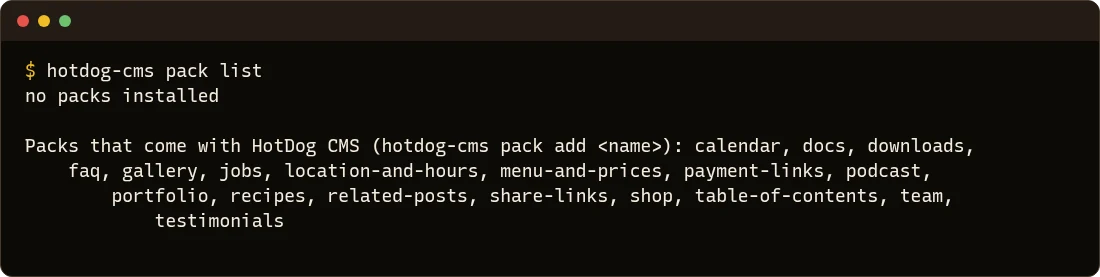
HotDog comes with eighteen packs. In your site's folder, list them:
hotdog-cms pack list
2. Add it
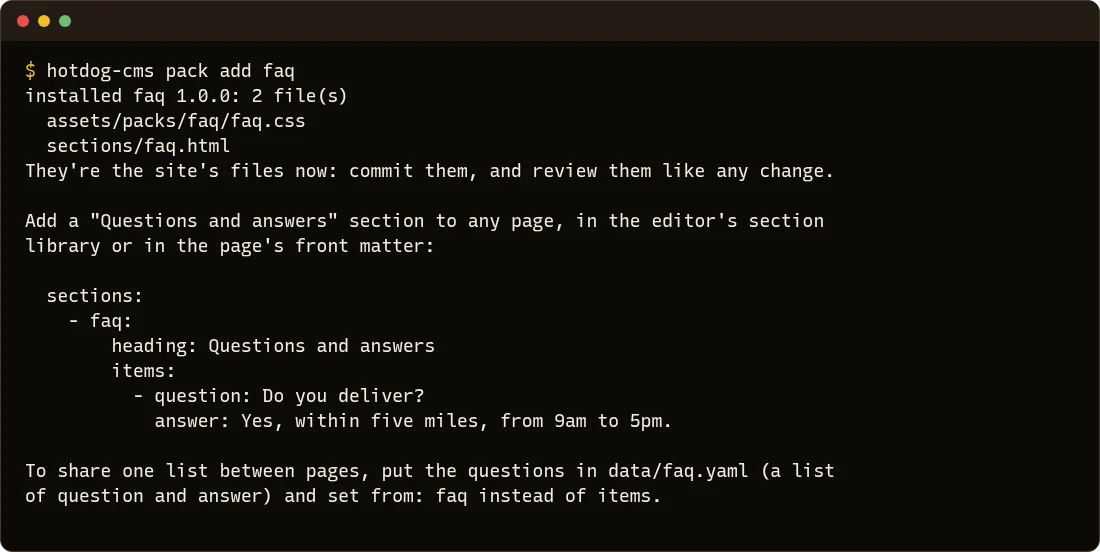
hotdog-cms pack add faq
It copies two files into your site, a section and its style, and says how to use them.
3. Put it on a page
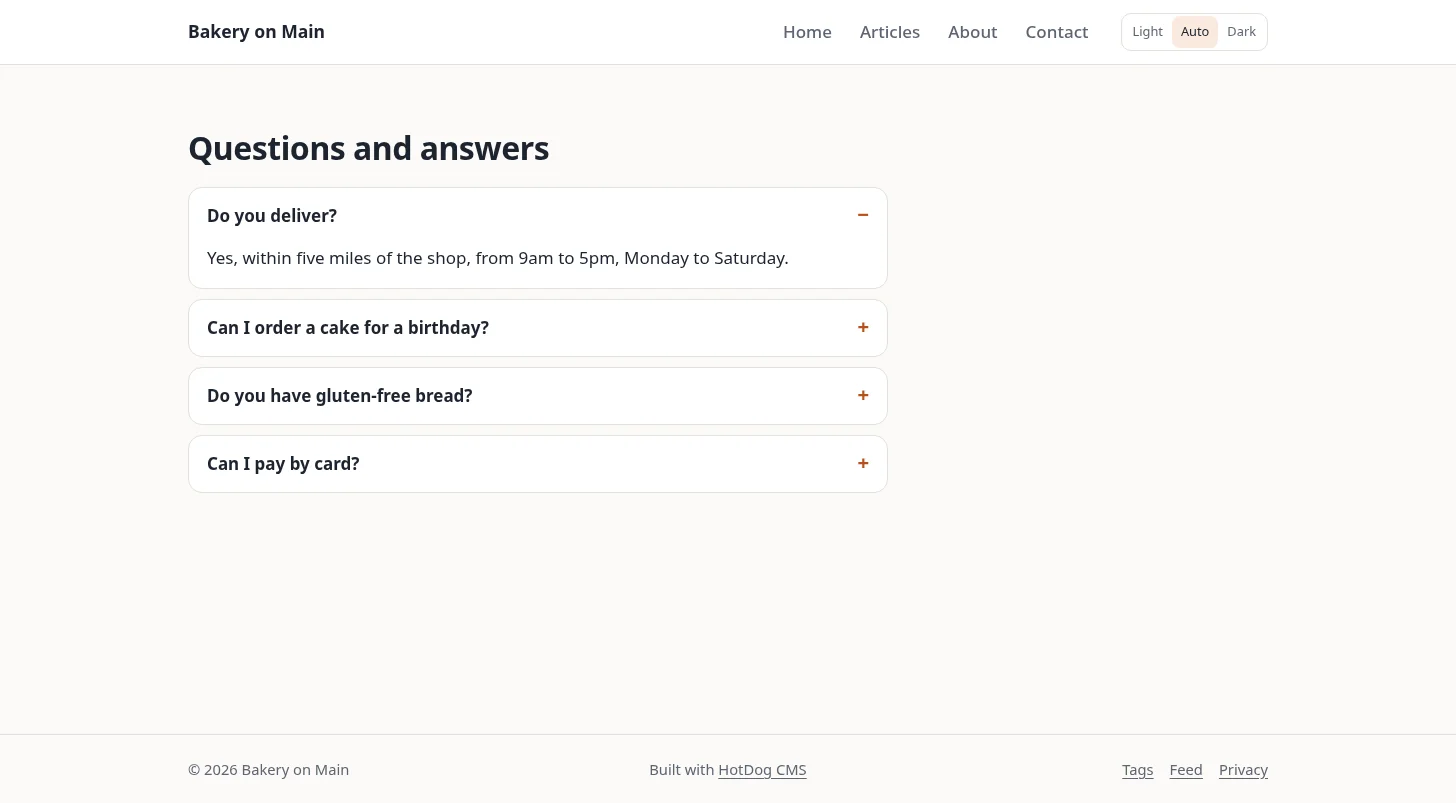
Add the section to a page, in the editor's section library or in the page's front matter. This new page, content/questions.md, lists four questions with their answers:
---
title: Questions
summary: Delivery, orders, allergies and paying.
layout: landing
sections:
  - faq:
      heading: Questions and answers
      open: true
      items:
        - question: Do you deliver?
          answer: Yes, within five miles of the shop, from 9am to 5pm, Monday to Saturday.
        - question: Can I order a cake for a birthday?
          answer: Yes. Give us **three days' notice**, and tell us the size, the flavor and what to write on it.
---
Each question opens to show its answer, and closes again, with no script.
4. Share one list between pages
To show the same questions on several pages, keep them in one file, data/faq.yaml:
- question: Do you deliver?
  answer: Yes, within five miles of the shop, from 9am to 5pm.
- question: Can I pay by card?
  answer: Yes, by card or phone. We take cash too.
Then, on any page, point the section at it with from:
sections:
  - faq: { heading: Questions, from: faq }
Change it once, and every page follows.
HotDog also tells search engines these are questions and answers, so they can show them in results. You don't have to do anything for that.
5. Check and publish
Run the checks, then publish as you always do:
hotdog-cms check
The pack's files are part of your site, so they're reviewed and published like any other change.
More packs
There are packs for opening hours, galleries, your team, menus and prices, recipes, a shop and more. They all work the same way: add one, put it on a page, and publish. Packs in the docs lists them all, and Make your own pack shows how to build one.