

Make your own pack
Turn a section you've built into a pack, check it, install it in your sites, and share it.
If you've made a section you'd like on more than one site, or want to share with other people, make it a pack. It takes a folder, a short settings file and one check.
This page builds a small pack called notice: a highlighted line across a page, for things like holiday hours or a closure.
1. Make the folder
A pack is a folder with a pack.yaml in it, and the same sections/, layouts/, partials/ and assets/ folders a site has. Make it next to your site, not inside it:
notice-pack/
  pack.yaml
  sections/notice.html
  assets/notice.css
  README.md
  LICENSE
2. Describe it
pack.yaml says what the pack is called, its version and its license:
name: notice
version: 1.0.0
title: Notice
description: A short notice across the top of a page, like holiday hours or a closure.
license: MIT
author: Bakery on Main
notes: |
  Add a notice section to any page:
    sections:
      - notice: { text: "Closed Monday for the holiday." }
- name is lowercase letters, digits and dashes. It's how sites refer to the pack.
- version goes up each time you change the pack: 1.0.0, then 1.0.1 for a fix, or 1.1.0 for something new.
- notes are shown to whoever installs it, so say what to do next.
3. Add the section and its style
The section is an ordinary section template, with its fields declared at the top so the editor can show a form for it:
{{/* section
label: Notice
about: A short notice across a page, like holiday hours or a closure.
fields:
  - { name: text, type: text, label: Notice, required: true }
  - { name: link, type: url, label: Link for more (optional) }
*/}}
<link rel="stylesheet" href="{{ asset "packs/notice/notice.css" }}">
<aside class="notice">
  <div class="wrap">
    <p>{{ .Data.text }}{{ with .Data.link }} <a href="{{ . }}">More</a>{{ end }}</p>
  </div>
</aside>
The stylesheet goes in assets/notice.css. When the pack is installed, its assets land in assets/packs/notice/, which is why the template asks for packs/notice/notice.css. That way two packs can never overwrite each other's files.
.notice { margin: 24px 0; }
.notice p {
  margin: 0;
  padding: 0.9rem 1.2rem;
  border-left: 4px solid #e0a800;
  border-radius: 6px;
  background: #fff4c2;
  color: #3d2f00;
}
Add a short README.md saying what the pack does, and a LICENSE so people know they can use it.
4. Check it
From your site's folder, ask HotDog what the pack would install:
hotdog-cms pack check ../notice-pack

If something isn't allowed, the check says what and where, and nothing is installed:
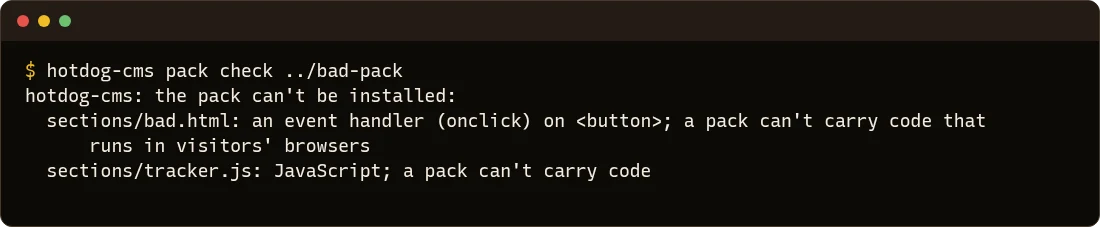
A pack can hold templates, stylesheets, pictures (PNG, JPEG, WebP, GIF, AVIF) and fonts. It can't hold JavaScript, SVG files, templates with a <script>, a click handler or an embedded frame, or anything outside those folders. That's what lets anyone add a pack without worrying what it might do. See why packs carry no code.
5. Install it
hotdog-cms pack add ../notice-pack
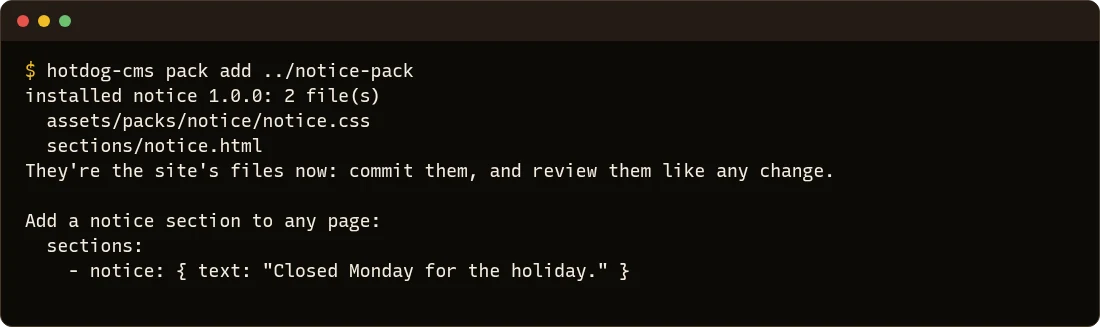
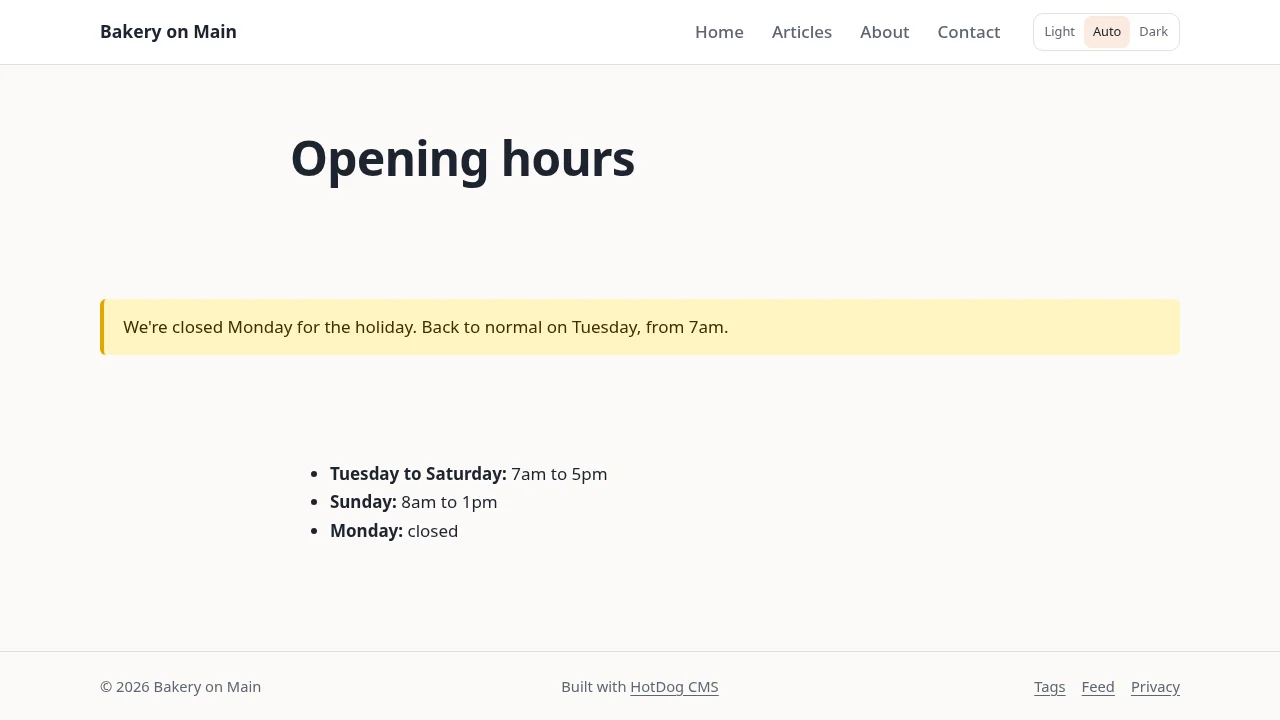
Then use the section on any page, in the editor's section library or in the page's front matter:
---
title: Opening hours
sections:
  - notice: { text: "We're closed Monday for the holiday. Back to normal on Tuesday, from 7am." }
---
Commit the new files and the change to site.yaml, like any other change.
6. Share it
To use the pack on other sites, or let other people use it, put the folder in its own git repository and tag each version:
cd notice-pack
git init
git add .
git commit -m "Notice 1.0.0"
git tag v1.0.0
Push it to GitHub, Gitea, Forgejo, GitLab or your own git server. Then any site can add it by its address and version:
hotdog-cms pack add https://git.example.org/you/[email protected]
The address has to start with https://, ssh:// or git@. For a private repository, use the SSH address, the one you push with.
7. Update it
Change the files, raise version in pack.yaml, commit and tag it (v1.1.0). In each site, add it again with the new version:
hotdog-cms pack add https://git.example.org/you/[email protected]
HotDog replaces the pack's files with the new ones and removes any the new version no longer has. Files that were already in the site before the pack are never overwritten. If you changed the pack's own files in a site, the upgrade replaces your changes; git shows exactly what changed, so you can put them back. Nothing updates by itself: each site gets the new version when you add it, and you see the change before it's published.
Going further
A pack can also bring page layouts and partials, and the collection settings its layouts need. HotDog's packs guide has every field pack.yaml takes. The 18 packs that come with HotDog are good examples to copy from: add one to a test site and read its files.