

Run the checks
HotDog reads every page of your finished site before it's published, the way a careful reviewer would. Here's how to run the checks, read what they say, and fix it.
Run them
In your site's folder:
hotdog-cms check
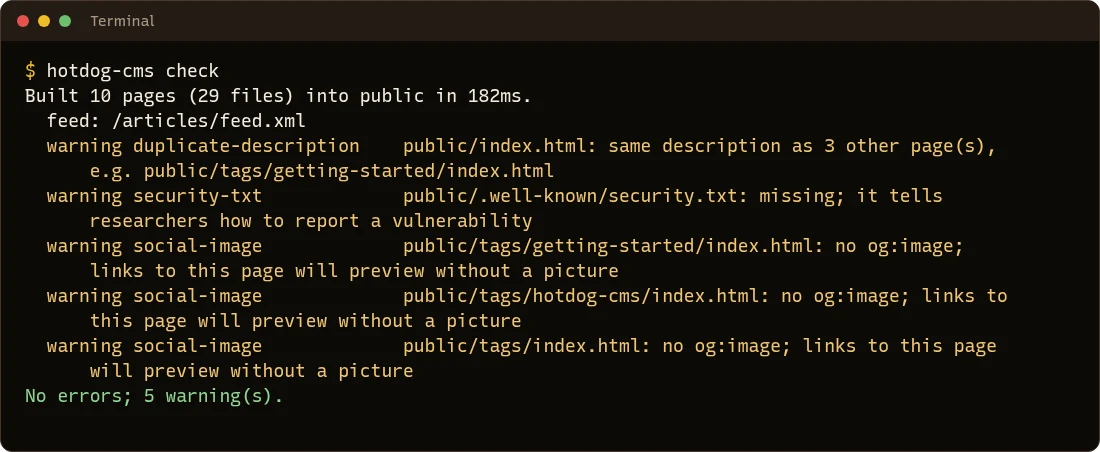
HotDog builds the site, then reads every page. When all is well, it says so:
Errors and warnings
- Errors are things that would hurt your visitors or your site: a link to a page that doesn't exist, tracking that starts before anyone agreed, a photo that gives away where it was taken. A site with errors can't be published, by any route.
- Warnings are suggestions: a summary too long for search results, a page without a picture for link previews. Fix them when you can; they never stop a publish.
Here's a check that found an error, a link to a page that isn't there:
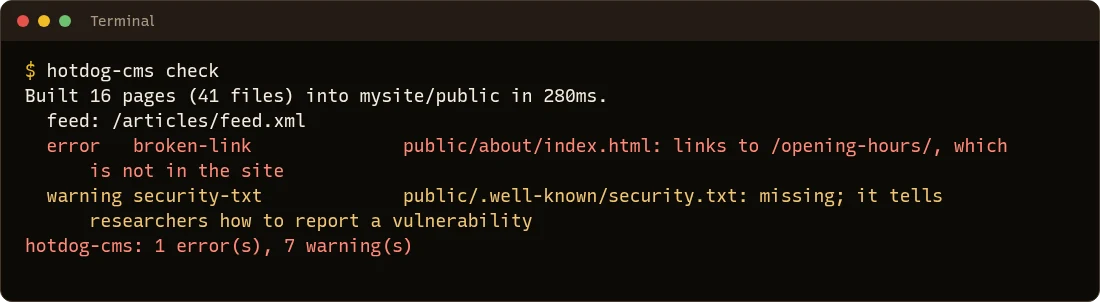
Each line says:
- error or warning;
- the rule's name, like
broken-link; - the page, as its file in
public/(public/about/index.htmlis the page at/about/); - what's wrong.
Ask how to fix it
Add -fix, and under each finding HotDog says what usually puts it right:
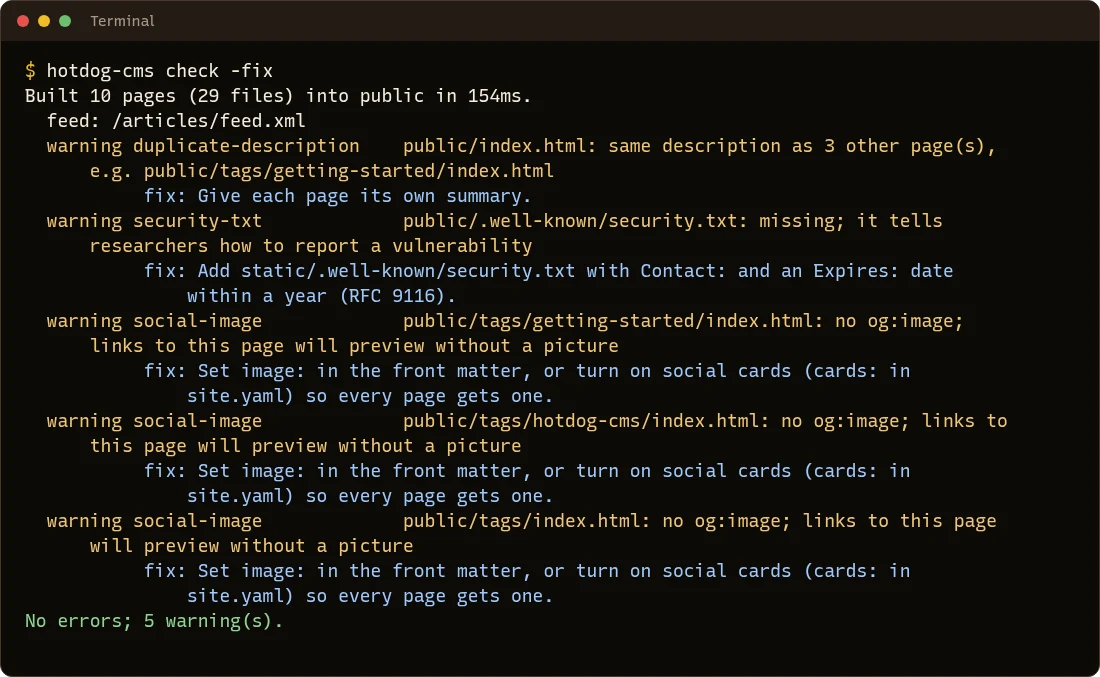
Every rule is explained in What the checks mean.
Where else they run
You don't have to remember to run them. The same checks run:
- before every publish:
hotdog-cms publishstops on an error, and the pull agent leaves your live site as it was; - in the editor: the site view shows whether your draft passes, and Publish won't go ahead if it doesn't;
- on every pull request, in the pipeline file
hotdog-cms ciwrites; - on every branch preview, with the count beside it.
There's no way to skip them
On purpose. If your site really must break a rule, switch that rule off in site.yaml, where everyone working on the site can see the decision:
check:
  ignore: [img-alt]
Use the rule's name as the check prints it. Switching off a rule should be rare: most findings have a better fix.
Words that must never be published
You can give HotDog patterns that must never appear on your public site, such as the name of an internal server, or a private address:
check:
  forbid: ["intranet.example.org", "192\\.168\\."]
Anything matching, in your pages or the finished site, is an error. Patterns are regular expressions; a plain word or address works as you'd expect, with \\. for a literal dot.