

Settings
site.yaml holds your site's name, address, menus and more. Here are the settings to change first, one by one.
Open site.yaml in your text editor. It's written in YAML: one setting per line, name: value. Lines starting with # are notes, and don't do anything.
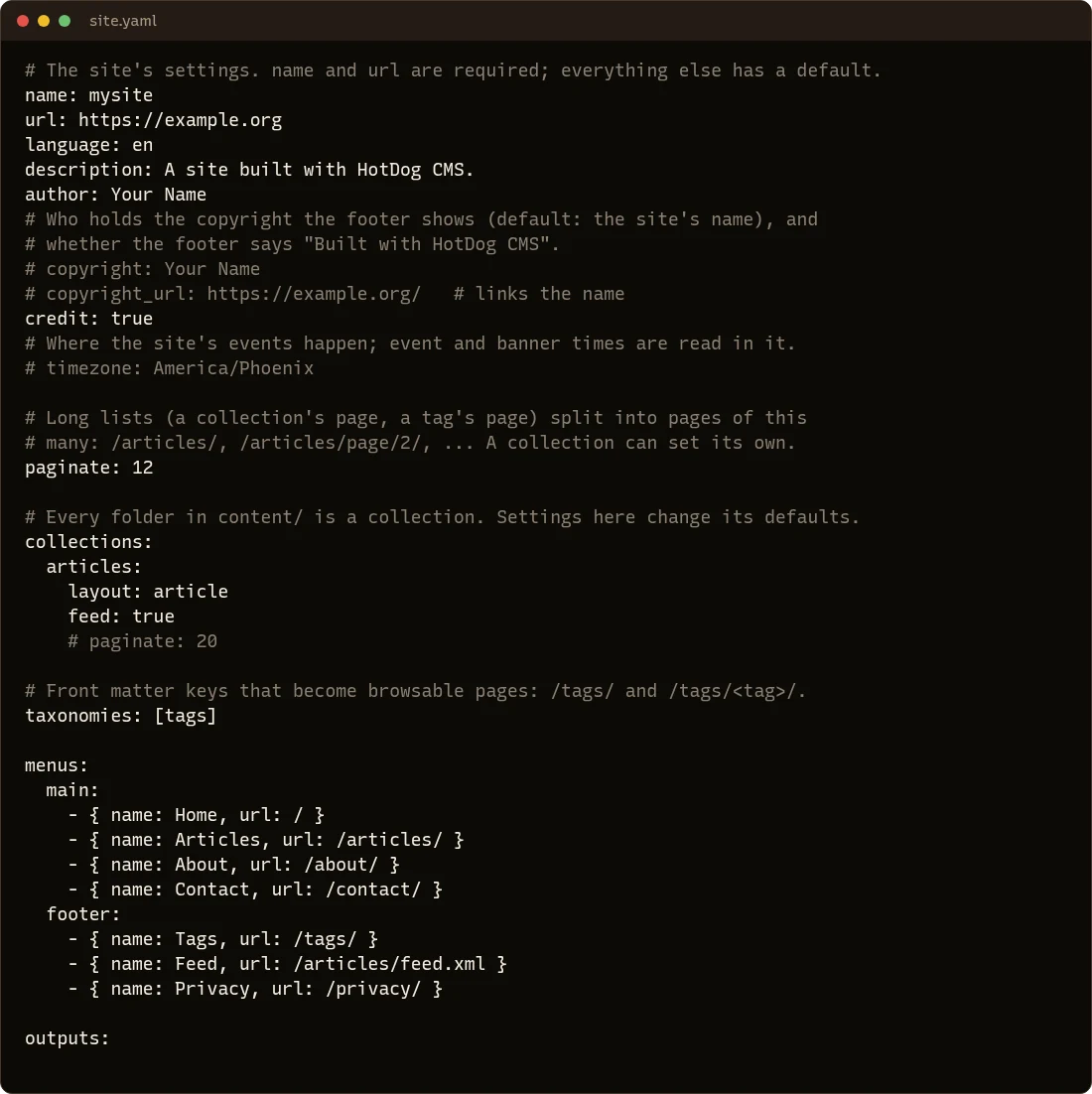
Be careful with spaces. In YAML, the spaces at the start of a line matter: they show what belongs to what. Keep the same indentation as the lines around the one you change, and use spaces, not tabs.
The first five to change
name: your site's name, shown in the header and in browser tabs.
name: Bakery on Main
url: the address your site will have when it's published, starting with https://. HotDog uses it for links in feeds, sitemaps and link previews. Don't worry if you don't have one yet; change it when you do.
url: https://bakeryonmain.example
description: one sentence about the site, shown in search results for pages that don't have their own summary.
author: you, or your organization.
language: the language your site is written in, as a short code: en for English, es for Spanish, de for German, fr for French.
The footer
copyright: Bakery on Main LLC
copyright_url: https://bakeryonmain.example/
credit: true
copyrightis the name in the footer's © line (your site's name if you leave it out).copyright_urlmakes it a link.credit: trueshows "Built with HotDog CMS" in the footer. Set it tofalseto remove it.
Your time zone
If your site will have events, banners that come down at a set time, or pages that go live later, tell HotDog where you are:
timezone: America/Chicago
Use the name from the list of time zones, like Europe/London or Australia/Sydney.
Menus
The menus setting lists the links in the header (main) and the footer (footer):
menus:
  main:
    - { name: Home, url: / }
    - { name: Articles, url: /articles/ }
    - { name: About, url: /about/ }
    - { name: Contact, url: /contact/ }
Menus and links has the details.
After a change
Save the file. If hotdog-cms serve is running, it rebuilds and the browser reloads. If you made a mistake in the YAML, the terminal says which line, and the site keeps showing the last good version until you fix it.
Every setting is listed in the site.yaml reference.