

Many sites at once
Look after several sites the same way: one correction, checked and reviewed on every site, in minutes instead of an afternoon.
Because every HotDog site is a folder of text in git, and every job is a command, looking after ten sites isn't ten times the work. You make a change once, apply it everywhere with a script, let HotDog check every site, and review the result site by site.
This is for anyone who runs several sites: an agency, a group of shops, a set of project sites, or a family of sites that share a design.
Keep the sites side by side
Clone each site's repository into one folder:
sites/
  bakery/
  florist/
  garage/
Each is its own site, with its own repository and history. Nothing ties them together except the folder they sit in, so you can still work on one alone.
Check every site
A short script checks them all, reports each, and says which need attention:
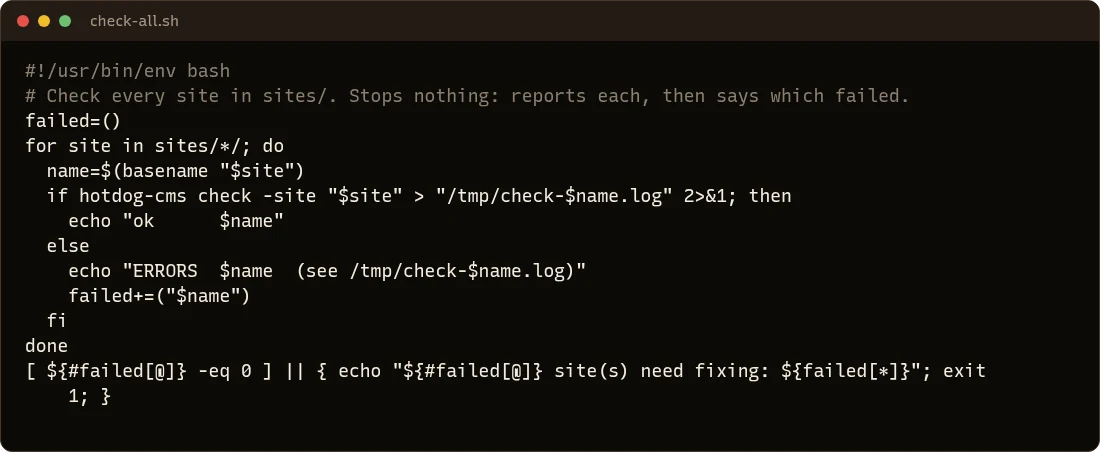
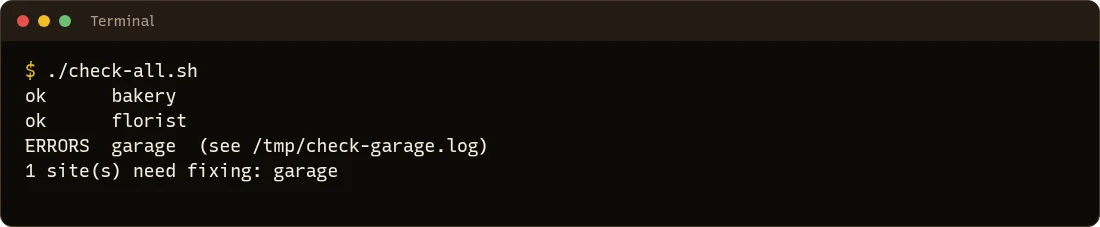
Run it after any change across sites, and before publishing.
One correction, everywhere
Say the privacy contact address changed for every site. One script makes the change on each site, on a branch of its own, checks it, and saves it for review:
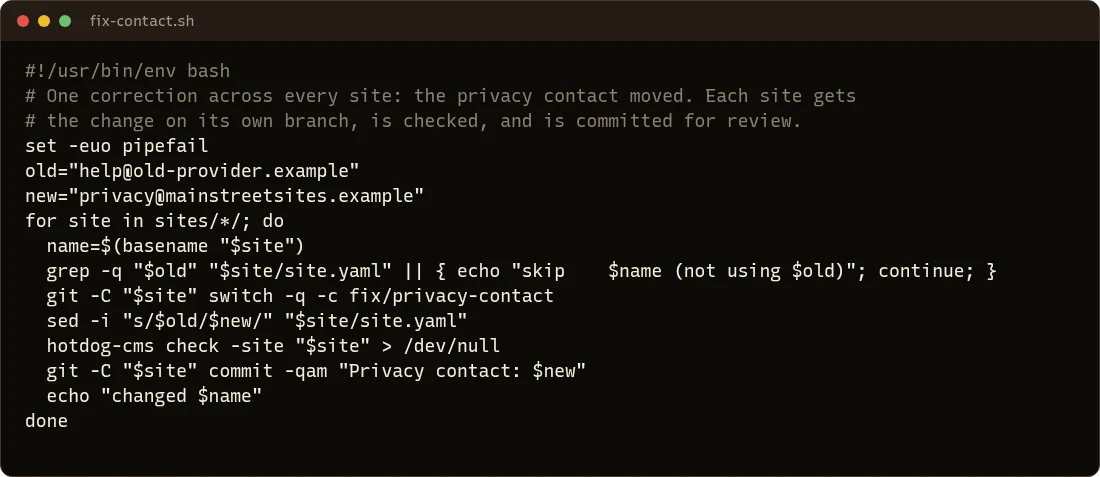
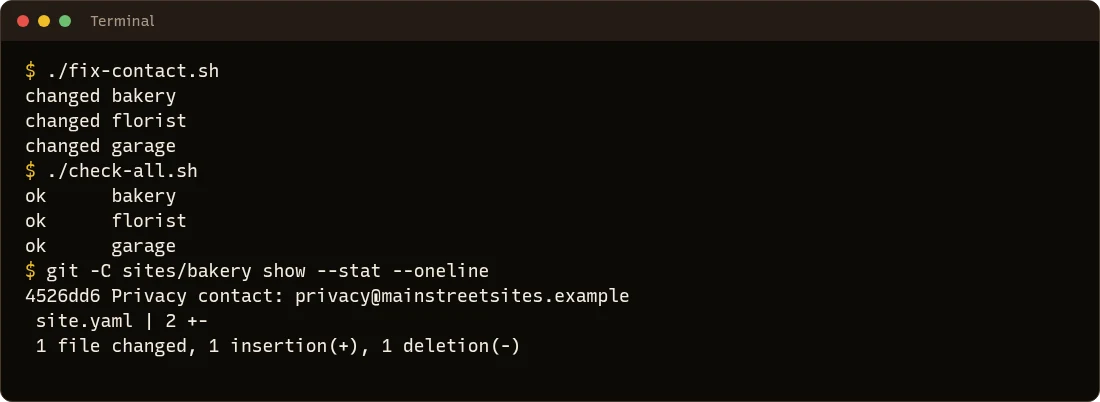
Notice what the script does and doesn't do:
- It skips sites that don't need the change, rather than changing them anyway.
- It works on a branch, never straight on the live branch.
- It checks each site (
set -estops the script if a check fails). - It doesn't publish. That's for a person, after looking.
Review, then publish
Push each branch and open a review for it:
for site in sites/*/; do
  git -C "$site" push -u origin fix/privacy-contact
done
Each site's review shows exactly what changed, with its checks and a preview. Merge them one by one, or all at once when they look right. Each site's pipeline or pull agent publishes it when it's merged.
Undo, everywhere
Because every change is a commit, undoing one across sites is the same kind of script, with git revert, reviewed the same way.
Sharing a design: packs
When several sites share sections or styles, put them in a pack in a repository of its own. Each site adds it with hotdog-cms pack add <repository>@v1.2.0. To roll out an improvement, release a new version of the pack, and upgrade every site with the same command and the new version, using a loop like the one above. Each site's review then shows the pack's changes.
Ideas for scripts
- New sites from a template site you've already set up the way you like: copy it, change
nameandurl, commit. - A setting across every site: statistics, the footer's copyright, a new menu link.
- A notice on every site at once: write a banner to each site's
data/banners.yaml(see Quick posts), with an end time so it comes down by itself. - A nightly report: run
check-all.shevery night and email the result, so you hear about a problem before your visitors do.
With an AI assistant
An AI assistant can write these scripts for you, or make changes across sites directly. The same rules keep it safe: branches, checks, reviews.