

Forms
The contact form, and how to make your own. Forms are a short file each; sending them needs a small program on your server.
The template comes with a contact form on /contact/:
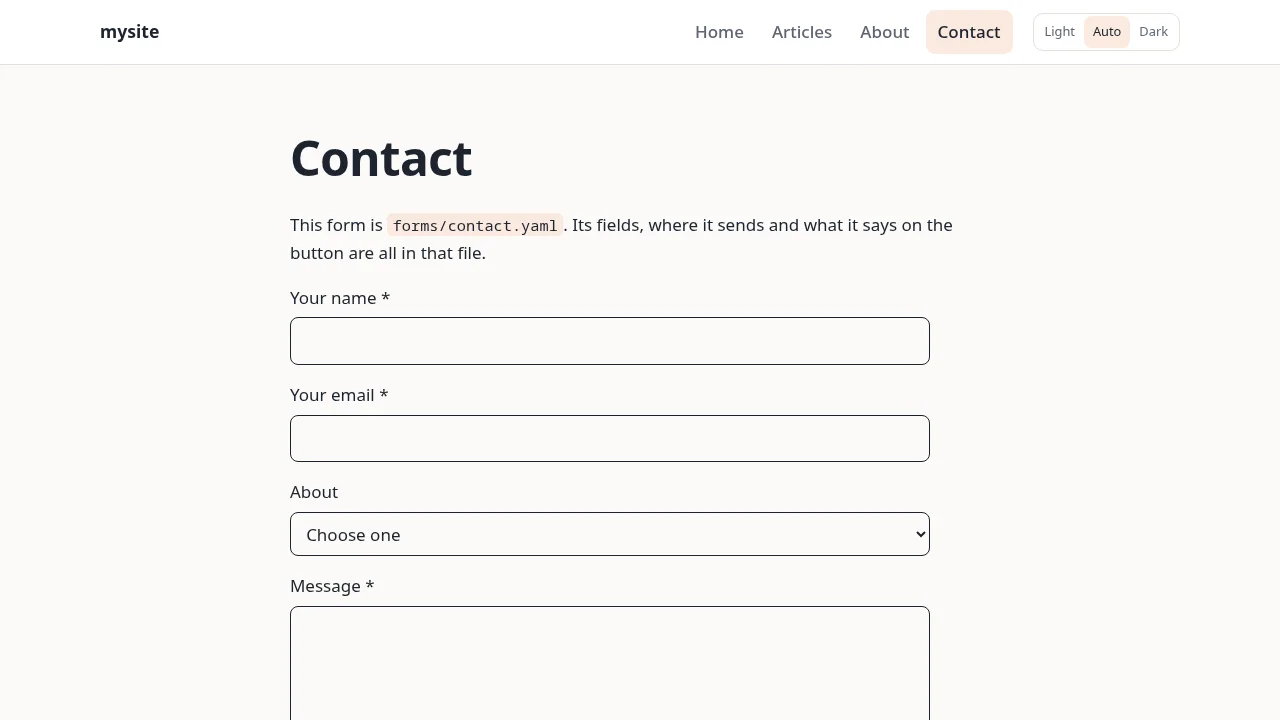
How a form is made
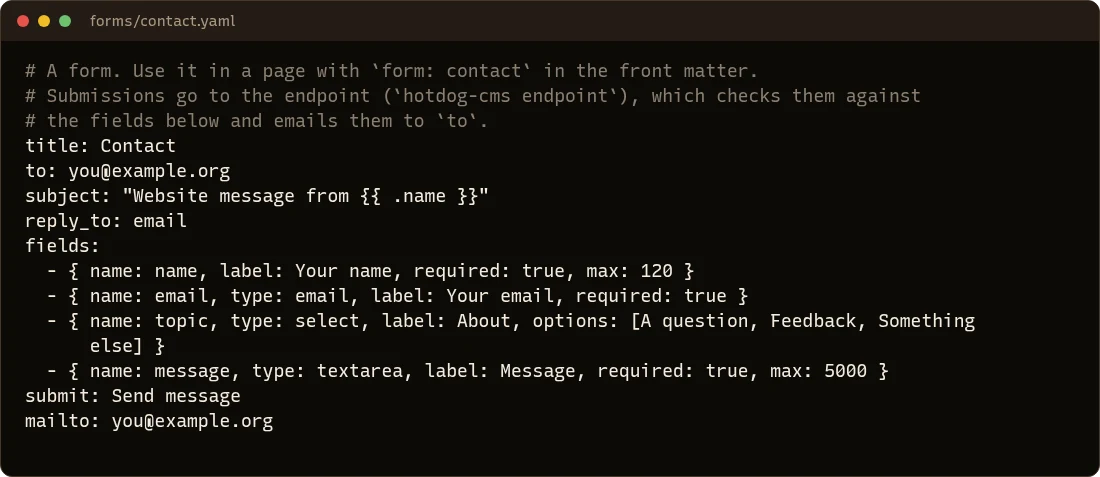
Each form is a file in forms/. Here's forms/contact.yaml:
| Key | What it's for |
|---|---|
to |
The email address submissions are sent to. Change this to yours. |
subject |
The email's subject. {{ .name }} puts in what was typed in the name field. |
reply_to |
The field holding the sender's address, so replying to the email replies to them. |
fields |
The questions, in order (below). |
submit |
The button's text. |
success |
Optional: a page to send people to after sending, such as /contact/thanks/. Without it, a thank-you appears in place of the form. |
mailto |
An address shown to people whose browser can't send the form, so they can email you instead. |
store |
true also keeps each submission in a file on your server. |
Fields
Each field has a name (letters, no spaces) and a label (what people see):
fields:
  - { name: name, label: Your name, required: true, max: 120 }
  - { name: email, type: email, label: Your email, required: true }
  - { name: topic, type: select, label: About, options: [A question, Feedback] }
  - { name: message, type: textarea, label: Message, required: true }
typeistext(the default),email,url,tel,textarea(several lines),select(a choice fromoptions) orcheckbox.required: truemeans it must be filled in.maxlimits how long the answer can be.
Put a form on a page
Add form: with the form's file name to the page's front matter:
---
title: Book a table
form: booking
---

Tell us when you'd like to come.
That shows forms/booking.yaml under the page's text. If a form doesn't make sense (no recipient, a choice with no options), the build stops and says why.
Sending submissions
Your site is plain files, and plain files can't send email. Forms are sent by the endpoint, a small program that runs on your web server beside the site. It checks each submission (that it came from your site, isn't a robot, isn't too long) and emails it to you.
Setting it up is a job for whoever runs your server: see Forms and search on your server. Until it's running, people can still reach you through the mailto address.
In the editor, the Forms page edits forms with a form of its own, and can show stored submissions. See The editor.