

Markdown
Markdown is plain text with a few symbols for headings, lists, links and emphasis. Here's everything you need for most pages, side by side with how it looks.
You write pages in Markdown, and HotDog turns it into a web page. Here's a short page of Markdown:
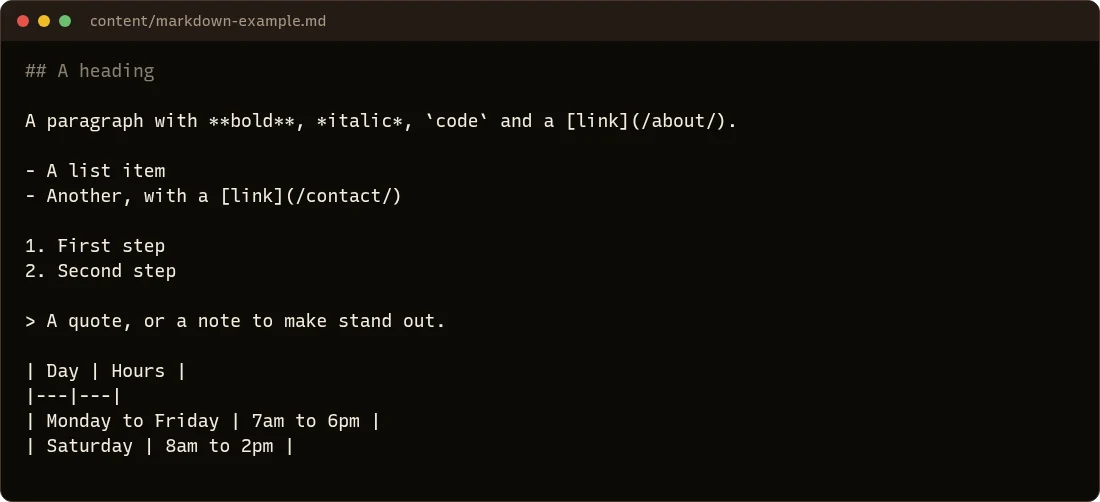
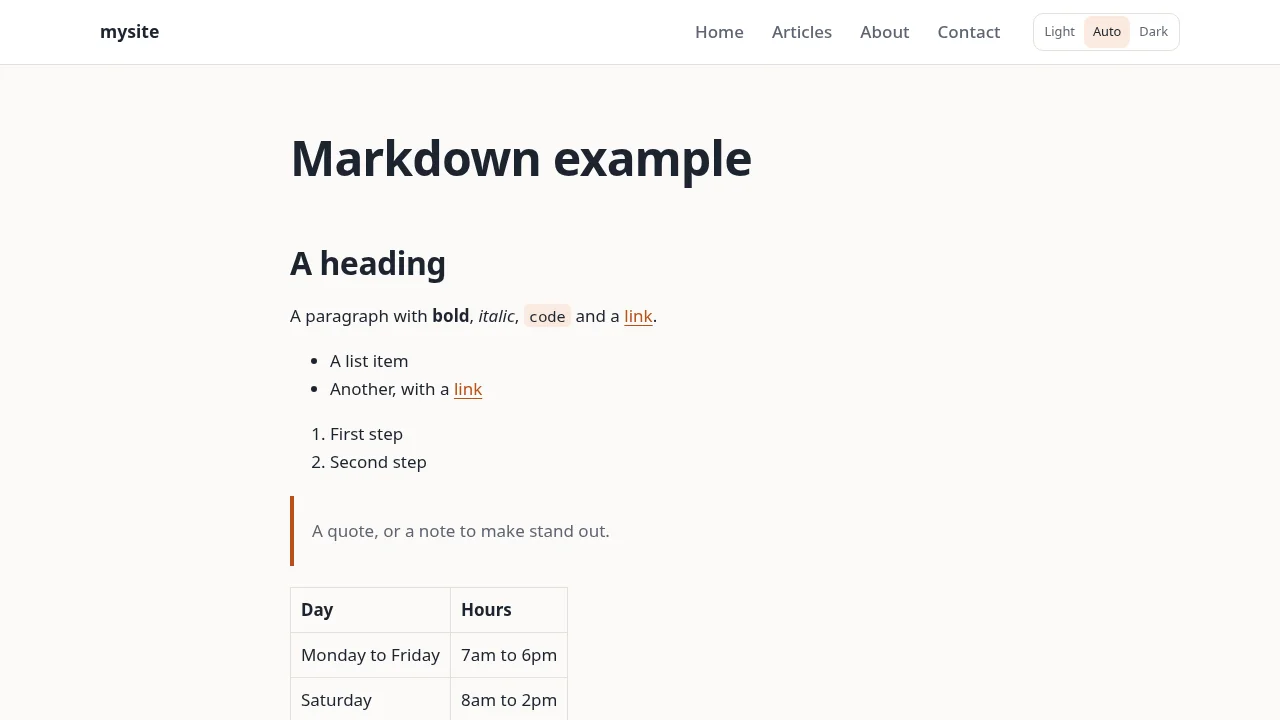
And here's how it looks on the site:
Headings
Start a line with # signs and a space. Two ## for a main heading within the page, three ### for a smaller one under it:
## Opening hours
### Holidays
The page's title (from the front matter) is its only top heading, so start your own headings at ##. Don't skip levels: a ### belongs under a ##.
Paragraphs and line breaks
Leave an empty line between paragraphs. Lines next to each other join up into one paragraph, so you can wrap long lines however you like.
Bold, italic and code
**bold**, *italic*, `a command or file name`
Links
[Read our menu](/menu/)
[Our supplier](https://example.org)
The words people click go in square brackets, the address in round ones. Addresses on your own site start with /.
Lists
- An item
- Another item
  - An item inside it (two spaces in)

1. First step
2. Second step
Pictures

The words in square brackets describe the picture for people who can't see it. See Pictures.
Quotes and notes
Start the line with >:
> We're closed on Thursday for the holiday.
Tables
| Day | Hours |
|---|---|
| Monday to Friday | 7am to 6pm |
| Saturday | 8am to 2pm |
The second line, with the dashes, separates the heading row from the rest. The columns don't need to line up in your file.
Code blocks
For commands or text that must appear exactly as typed, put three backticks on the lines before and after:
```
hotdog-cms serve
```
A line across the page
Three dashes on a line of their own, with an empty line above: ---.
Rather not write Markdown?
The editor's visual mode works like a word processor, with a toolbar for headings, lists, links and pictures, and saves Markdown for you.