

Events
Add a calendar to your site, with a page for each event and a feed people can subscribe to in their calendar app.
Add the calendar
The calendar is a pack: a set of templates that comes with HotDog. In your site's folder:
hotdog-cms pack add calendar
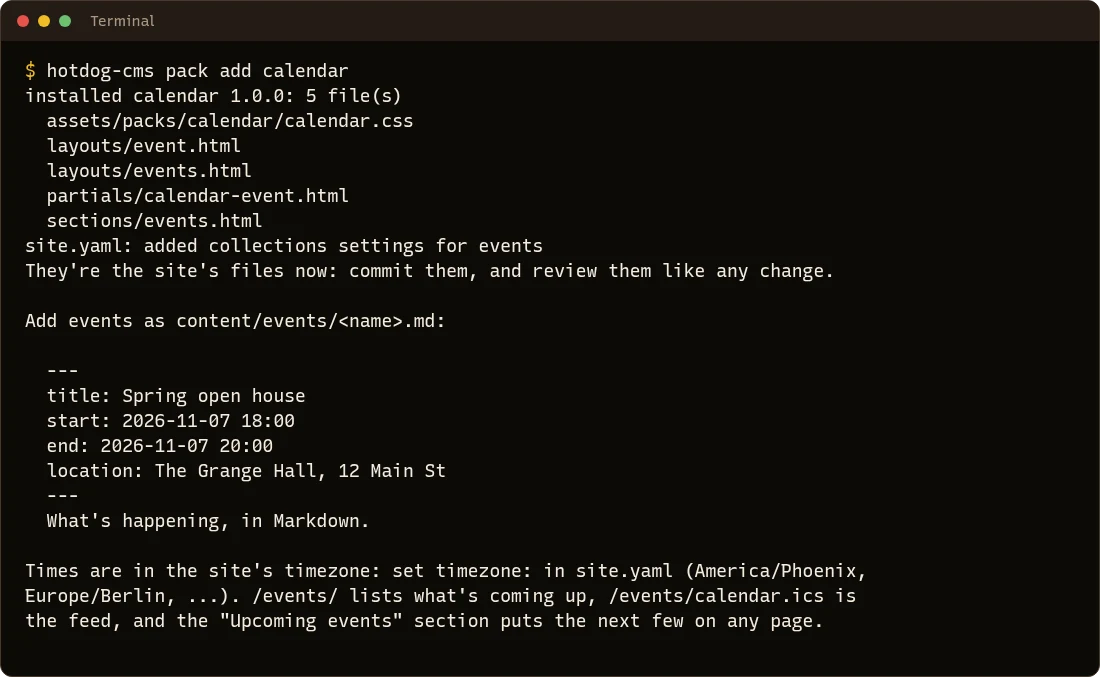
It adds:
- an events collection, so pages in
content/events/are events; - a page listing what's coming up, at
/events/; - a calendar feed people can subscribe to, at
/events/calendar.ics; - an Upcoming events section you can put on any page, like the home page.
Then set your time zone in site.yaml, if you haven't, so event times are right:
timezone: America/Chicago
Add an event
Make a file in content/events/, such as content/events/open-house.md:
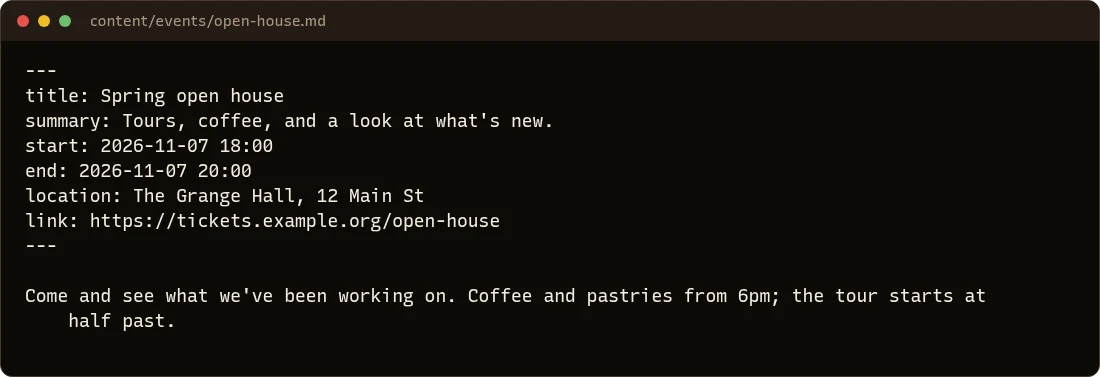
| Key | What it's for |
|---|---|
start |
When it starts: 2026-11-07 18:00, in your site's time zone. Required. |
end |
When it ends. Optional. |
location |
Where. |
link |
Tickets or sign-up, shown as a button. |
status |
cancelled or postponed, if it comes to that. |
All-day events: give dates without times. start: 2026-12-04 and end: 2026-12-06 is three days.
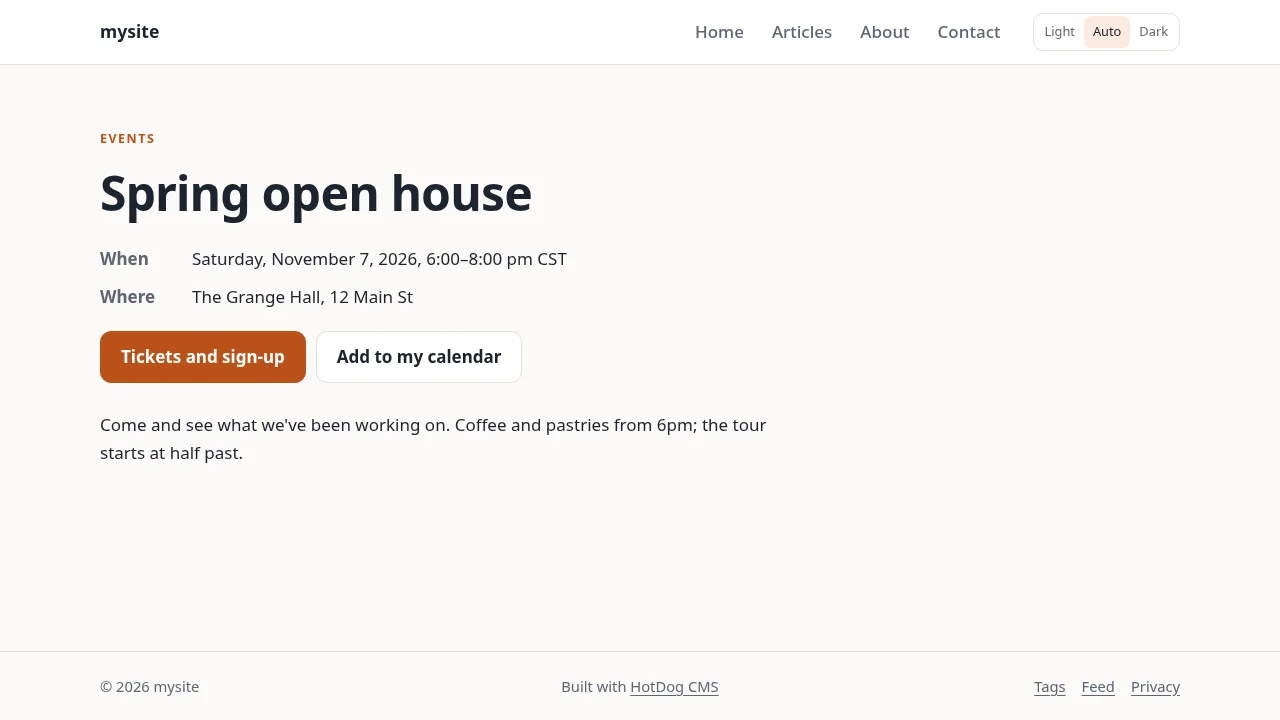
The event gets its own page, with an Add to my calendar button:
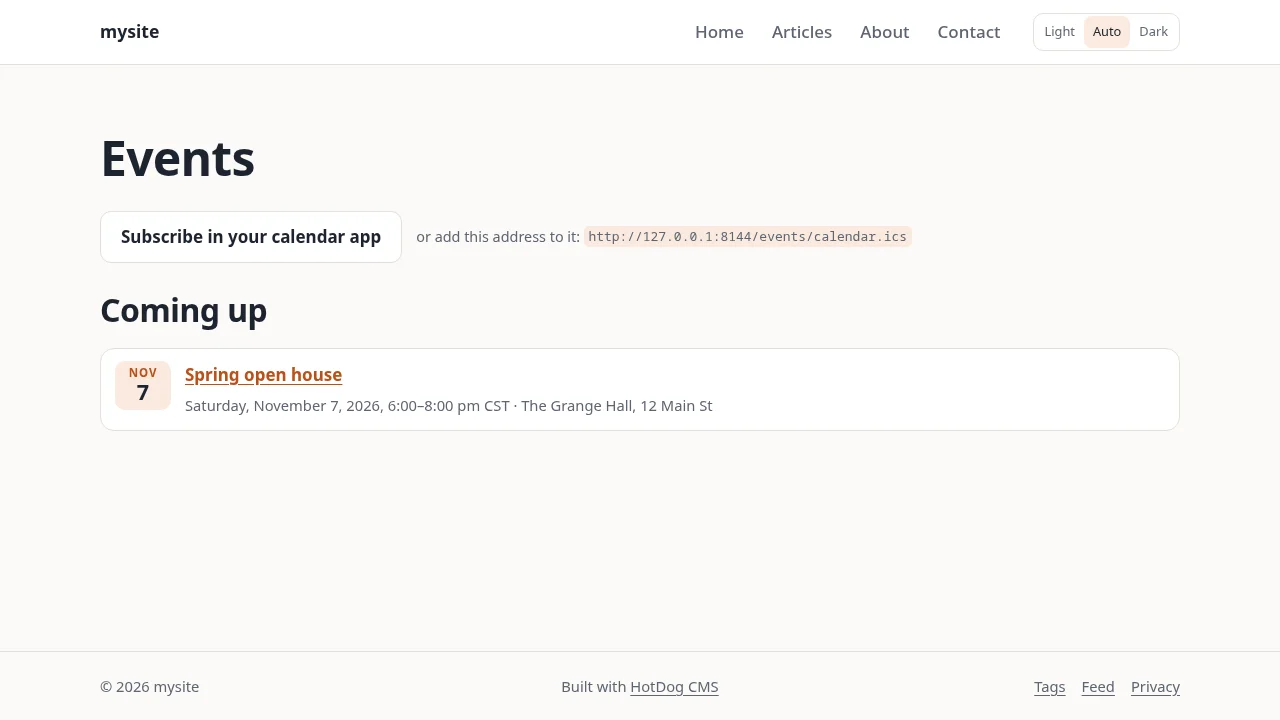
And /events/ lists everything coming up, with a button to subscribe:
Cancelling
Don't delete a cancelled event: add status: cancelled. It stays listed, marked as cancelled, so people who saw it find out, and calendar apps that subscribed show it as cancelled too.
Keeping "coming up" current
Which events count as coming up is worked out when the site is built. If your site rebuilds by itself (the pull agent does, and so do the pipeline files hotdog-cms ci writes, every hour), past events drop off the list on their own. If you publish by hand, publish again now and then. Repeating events (every Tuesday) aren't supported yet: add each one.
In the editor, Quick post → Event adds an event with one form. See Quick posts.