

Visit statistics
Count your visitors with Plausible, Matomo or Google Analytics, only after each visitor agrees. HotDog asks for you, fairly.
On this page
HotDog sites don't track anyone unless you turn statistics on, and then only after the visitor agrees.
Turn statistics on
Add one line to site.yaml, for the service you use:
analytics: { provider: plausible, domain: example.org }
analytics: { provider: matomo, url: "https://matomo.example.org/", site_id: "1" }
analytics: { provider: ga4, id: G-XXXXXXX }
- Plausible counts visits without cookies. If you run your own Plausible, add
src:with your script's address. - Matomo is statistics you can run yourself.
urlis your Matomo's address,site_idthe site's number there. - Google Analytics 4 needs the measurement ID from Google, starting
G-.
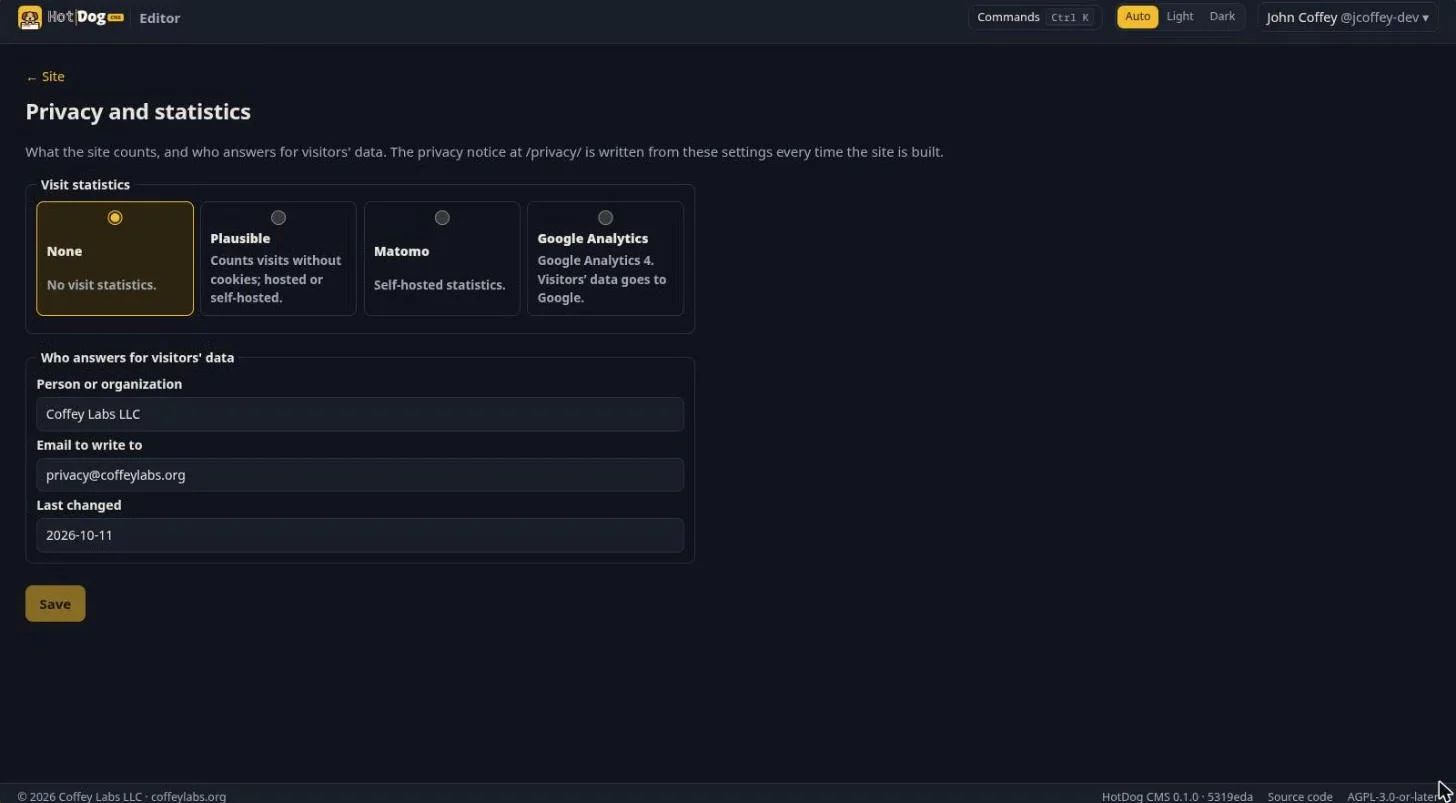
In the editor, Privacy & statistics does the same with a form:
What visitors see
On their first visit, a small banner at the foot of the page asks whether the site may count their visit:
- It sits at the bottom, not over the page, and the page works without answering.
- Decline comes first, and looks just like Accept. Saying no is as easy as saying yes.
- Nothing is counted until someone accepts. Only then is the statistics script added to the page.
- Declining, then or later, removes the statistics cookies.
- Browsers that send Global Privacy Control have already said no, and aren't asked.
- Cookie settings in the footer lets anyone change their answer.
- The answer is remembered in the browser itself, not in a cookie.
Your privacy page follows
Turning statistics on adds them to your privacy page, saying what's counted, by whom, and that it waits for consent. You don't have to remember to update it.
Google Analytics in Europe
When a visitor accepts, HotDog tells Google Analytics what they agreed to (Google calls this Consent Mode). Without that, Google throws away what it learns from visitors in the EU, the EEA and the UK, even the ones who said yes. There's nothing to set:
- statistics: granted, because the visitor accepted;
- ad personalization: always denied, so nothing is used to show anyone ads elsewhere;
- ad measurement: denied, unless you turn on the setting below.
Measuring your Google ads
If you run Google Ads and want to see which ads bring people who sign up or buy, add ad_conversions: true:
analytics: { provider: ga4, id: G-XXXXXXX, ad_conversions: true }
- It works with Google Analytics 4 only, because Google Ads measures through it. Link the two in Google Analytics, and mark the events you care about as key events there.
- It's only for visitors who accept. The banner says so: it asks to count the visit "including whether you came from one of its Google ads".
- Your privacy page gets a line for it, and ad personalization stays off.
hotdog-cms check -cspadds Google's ad addresses to the Content-Security-Policy it prints. If your server sends a policy you saved earlier, print it again and update it.- It needs consent, so it can't be combined with
gated: falsebelow.
In the editor, it's the Also measure the site's Google ads box under Google Analytics.
Counting without asking
Some services are built to count without cookies or personal data, and some sites decide they can count without asking. That has to be written down: add gated: false:
analytics: { provider: plausible, domain: example.org, gated: false }
Your privacy page then says visits are counted without asking, and the checks warn about it on every build (analytics-ungated), so it's never forgotten. Whether you may count without asking depends on where you and your visitors are: in the EU and UK, cookies and similar tracking need consent.